
 CARDZ3N — Home
Contact us today for personalized advice and strategic solutions tailored to your goals.

Call us
+1 (702)-623-3528









The fastest path to getting paid is a hosted invoice page or secure payment link that accepts both card and ACH, with card-data handling outsourced to a PCI-validated provider. Pair that link with automatic reminders to cut late payments, and you have a setup that works without added staff time. The immediate step: turn on a payment link for your next invoice, or run one invoice through a hosted checkout flow before you commit to a full rollout.
The customer flow is consistent across most providers: you send an invoice containing a payment link, the customer clicks through to a checkout page, selects a payment method, and receives confirmation once funds are authorized. What varies is where that checkout page lives and how much liability it transfers to you.
Three hosting models dominate:
Each model trades integration effort against control over branding and user experience. For most freelancers and small teams, a redirect or hosted link gets you paid fastest with the least engineering, as Stripe’s invoicing documentation describes for no-code and low-code implementations.
Method choice is a tradeoff between speed, cost, and dispute exposure. No single method wins on every dimension, so most merchants offer at least two.
A practical rule: offer card plus ACH, or card plus a digital wallet, so customers without a preferred card can still pay without you chasing a check. Payment links that present both options on one hosted page let the customer pick without extra steps, and many support no-account checkout entirely.
Card data handling is where liability concentrates, and the fix for most small merchants is simple: hand that liability to someone else. The PCI Security Standards Council’s small merchant guide notes that outsourcing card capture to a hosted page or tokenized form reduces your PCI scope and can qualify you for a shorter Self-Assessment Questionnaire.
Nacha’s 2026 rule updates now require ACH originators to run a commercially reasonable fraud detection system and validate customer bank accounts on the first WEB debit. That shifts fraud monitoring from a bank-only responsibility to one your operations team shares directly.
Beyond PCI and Nacha, a few operational controls matter regardless of provider: confirm your checkout runs over TLS, use EMV-compliant terminals for any in-person collection tied to invoices, and vet any third-party processor before integrating its scripts into your payment page. Outsourcing card capture does not remove your accountability for the checkout experience; it reduces the scope of what you must secure directly.
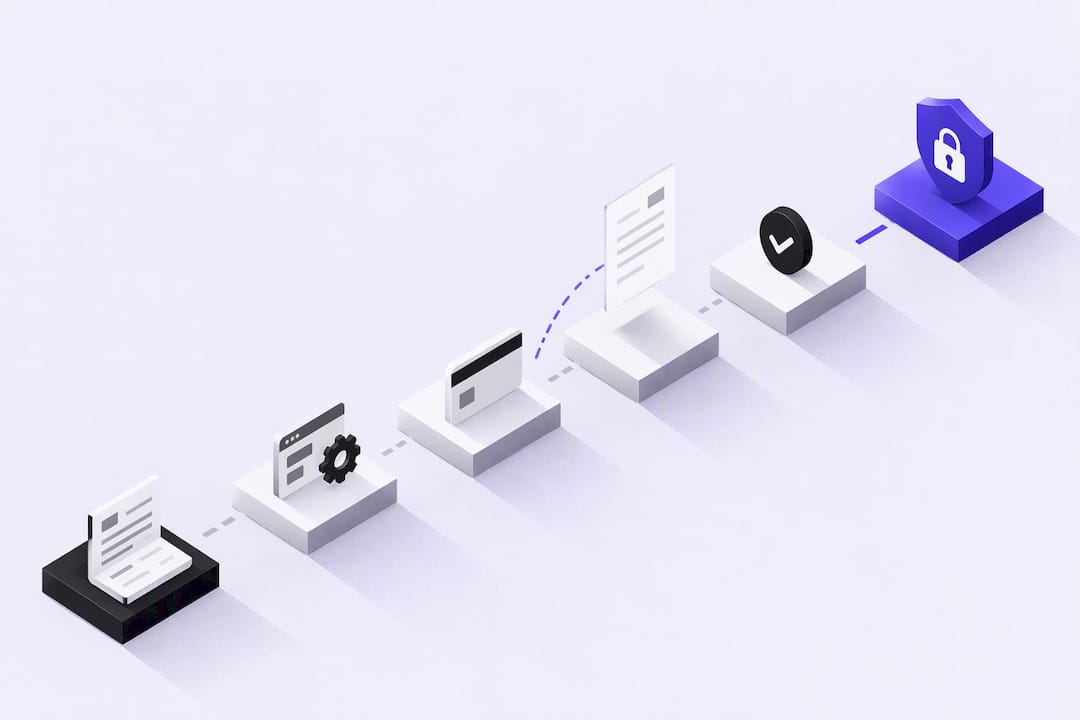
A clean invoice setup prevents most payment delays before they start. Work through this order:
Pro Tip: Run a $1 test invoice through your own payment link before sending real invoices. It surfaces broken redirects and confusing checkout steps while the stakes are still low.
Invoice fraud rarely looks like a hack. It looks like a legitimate-seeming email asking you to update payment instructions or rush a wire. The FTC’s guidance for small businesses recommends verifying any invoice or payment-instruction change through a separate, known communication channel before paying.
Build these habits into your accounts payable workflow:
Scammers also buy paid search ads impersonating legitimate bill-pay portals, so FTC consumer alerts recommend typing a known URL directly rather than clicking a sponsored link.
The integrations that matter most are the ones that remove manual matching between a payment and an invoice. Prioritize these:
Design your invoice IDs to be machine-readable so webhooks can match payments to invoices without a human checking each one, a practice Stripe’s payments documentation recommends for reducing reconciliation errors. For recurring invoices, tokenizing a customer’s payment method on file removes the friction of re-entering card details every billing cycle, which shortens days sales outstanding without any additional collections effort.
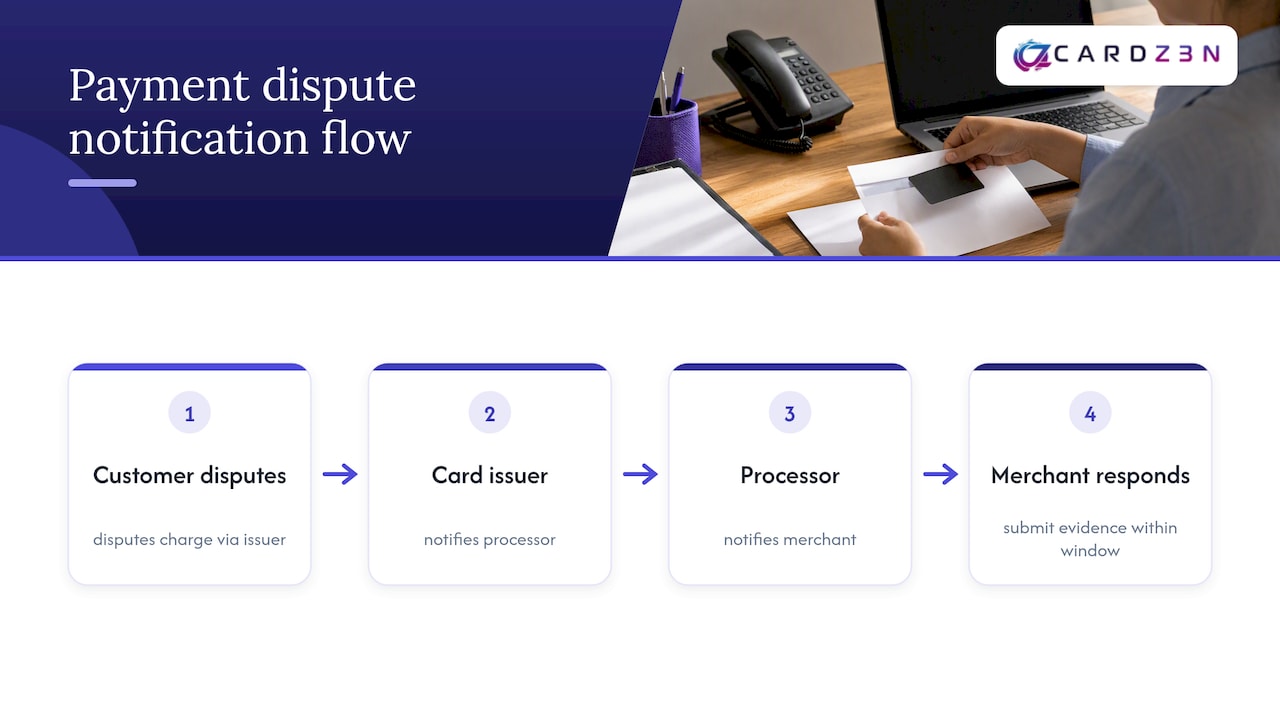
A dispute starts when a customer contests a charge with their card issuer rather than contacting you directly. The issuer notifies your processor, your processor notifies you, and you typically have a fixed window, often set by the card network, to respond with evidence.
That evidence matters more than the explanation you would give verbally. Useful documentation includes the signed invoice, proof of delivery or service completion, email confirmation of the agreed terms, and any communication showing the customer accepted the work. Submit everything your processor’s dispute portal allows, since a thin response almost always loses.
Prevention beats representment. Keep invoices specific about what was delivered and when, require a signature or digital acknowledgment on larger invoices, and respond to customer questions quickly so a billing confusion never escalates into a formal dispute. Track your dispute rate over time. A rising rate often points to a specific service line, invoice template, or customer segment causing the friction, and fixing that root cause is more durable than winning individual cases.
ACH disputes work differently from card chargebacks. A customer can return an unauthorized WEB debit under Nacha rules, which is one reason the account validation step mentioned earlier matters: validating the account before the first debit reduces the chance of a return filed as unauthorized. Keep your dispute documentation organized by invoice number from the start, since reconstructing a paper trail after a dispute arrives costs far more time than filing it as you go.
Tax treatment depends on where your business and your customer are located, and getting it wrong on an invoice creates cleanup work later. For domestic US invoices, sales tax applies based on the product or service type and the buyer’s jurisdiction, and that rate belongs on the invoice as a separate line item rather than folded into the total.
Cross-border invoices add complexity. Selling to a customer in a VAT jurisdiction may require you to collect and remit VAT depending on thresholds and the nature of the transaction, rules that differ by country and are not optional once a threshold is crossed. Because these rules vary significantly outside the US, confirm your specific obligations with a tax professional or the relevant tax authority rather than relying on general guidance.
Whatever the jurisdiction, keep your invoicing records clean: date of sale, tax rate applied, tax amount collected, and the jurisdiction it applies to. Most accounting software can calculate and apply the correct rate automatically once you configure your nexus states or VAT registration, which removes a manual calculation that is easy to get wrong at scale. Reconcile tax collected against what you remit on a regular schedule, not just at filing time, so a software misconfiguration gets caught in weeks rather than discovered during an audit.

A growing share of invoices get opened on a phone, often from an email or text notification, which means a checkout page that only renders well on desktop loses payments. Hosted payment pages from established providers are built responsive by default, so the invoice link that works on a laptop should resize correctly on a phone screen without a separate mobile template.
Mobile-specific payment methods are worth enabling alongside card and ACH. Digital wallets tied to a phone’s native payment system let a customer approve a payment with a fingerprint or face scan instead of typing in sixteen digits, which measurably reduces the number of customers who start checkout and abandon it. For service businesses that invoice on-site, such as contractors or field technicians, a payment link sent by text immediately after a job finishes captures payment while the work is still top of mind for the customer.
Test your invoice and payment flow on an actual phone, not just a resized browser window, since text wrapping, button placement, and form-field behavior can all differ from what a desktop preview shows.
Most of this playbook works with any PCI-compliant processor. The exception is businesses that mainstream processors reject outright: regulated industries, high chargeback-risk subscription models, or B2B and B2G transactions that need specialized underwriting. For those cases, we built merchant account placement, ACH and eCheck processing, virtual terminal access, and chargeback prevention through ChargebackZ3N around multi-bank approval resilience rather than a single sponsor relationship, which matters most when a standard application gets declined without explanation.
— Joshua Benedetti
If a mainstream processor has frozen, rejected, or shut down your account, the fix is not another generic application. We specialize in high-risk merchant accounts and B2B payment processing built around transparent reserve structures and quote-based pricing, so you know your terms before you commit. Our online payment processing covers gateway integrations, ACH, virtual terminal, and chargeback prevention in one placement. For field-service invoicing patterns worth studying alongside this, SolvPro’s payment tools guide is a useful reference. Request a quote through Cardz3n to see what approval looks like for your business.
Click the payment link in your invoice email or text, choose a payment method such as card, ACH, or a digital wallet on the hosted checkout page, and confirm the transaction. Most providers send an immediate confirmation once the payment is authorized, and no account creation is required on many hosted pages, as Stripe’s documentation describes.
The right choice depends on your business size, payment methods needed, and accounting software, rather than one universal answer. Look for a provider that offers hosted payment pages, supports both card and ACH, and integrates directly with your accounting software to automate reconciliation.
Pay through a hosted checkout page from a verified sender rather than entering card details into an email or unfamiliar form. The PCI Security Standards Council recommends outsourced, tokenized payment pages because they keep card data away from the merchant’s own systems entirely.
Most invoicing and payment platforms let you generate a payment link directly from an invoice template, which you then email or text to the customer. Include a unique invoice number, clear terms, and the accepted payment methods so the customer knows what to expect before clicking through.
Every merchant's processing setup is different, so the right answer depends on your industry, sales channels, average ticket size and chargeback history. CARDZ3N's payments specialists review those details with you and match your business with the right sponsor bank, gateway and risk tools, whether you sell online, in store, by invoice or on a recurring subscription.
We work with merchants across the USA, Canada, the UK and the EU, including high-risk, B2B and fast-growing businesses that traditional processors often turn away. If you would like a second opinion on your current rates, contract terms or approval options, contact our team for a free, no-obligation processing review.
Joshua Benedetti is the CEO of CARDZ3N, a Las Vegas-based merchant services provider specializing in high-risk payment processing and B2B payment technology.
Joshua Benedetti on LinkedInCARDZ3N Inc is headquartered in Las Vegas, Nevada, and provides merchant services to businesses that traditional processors turn away. Backed by top-tier sponsor banks and processors, CARDZ3N combines institutional stability with the speed of a specialized team that understands high-risk industries. Services include high-risk account underwriting and placement, gateway solutions across the major gateway platforms, POS integrations, ACH and check processing, chargeback prevention through ChargebackZ3N, and business lending and working capital. Its AerospacePay division serves OEMs, MROs, FBOs, and repair stations with B2B and B2G payment processing. CARDZ3N serves merchants in the USA, Canada, the UK, and the EU.
Start protecting your revenue from chargebacks today — schedule your complimentary consultation with CARDZ3N’s dispute management specialists.