
 CARDZ3N — Home
Contact us today for personalized advice and strategic solutions tailored to your goals.

Call us
+1 (702)-623-3528









A virtual terminal is a browser-based payment form that lets you key in card details for card-not-present transactions instead of swiping a physical card. Use it as a backup or occasional channel for phone orders, mail orders, invoicing, and B2B payments, not as your primary checkout. PCI compliance under SAQ C-VT determines whether that setup actually reduces your risk exposure, so the technology and the compliance framework have to be evaluated together.
A virtual terminal is a web-based application where you manually enter a customer’s card number, expiration date, CVV, and billing address into a secure form, usually while on the phone with them or processing a mailed order. This is exactly the MOTO workflow Wikipedia describes as the core use case for the technology.
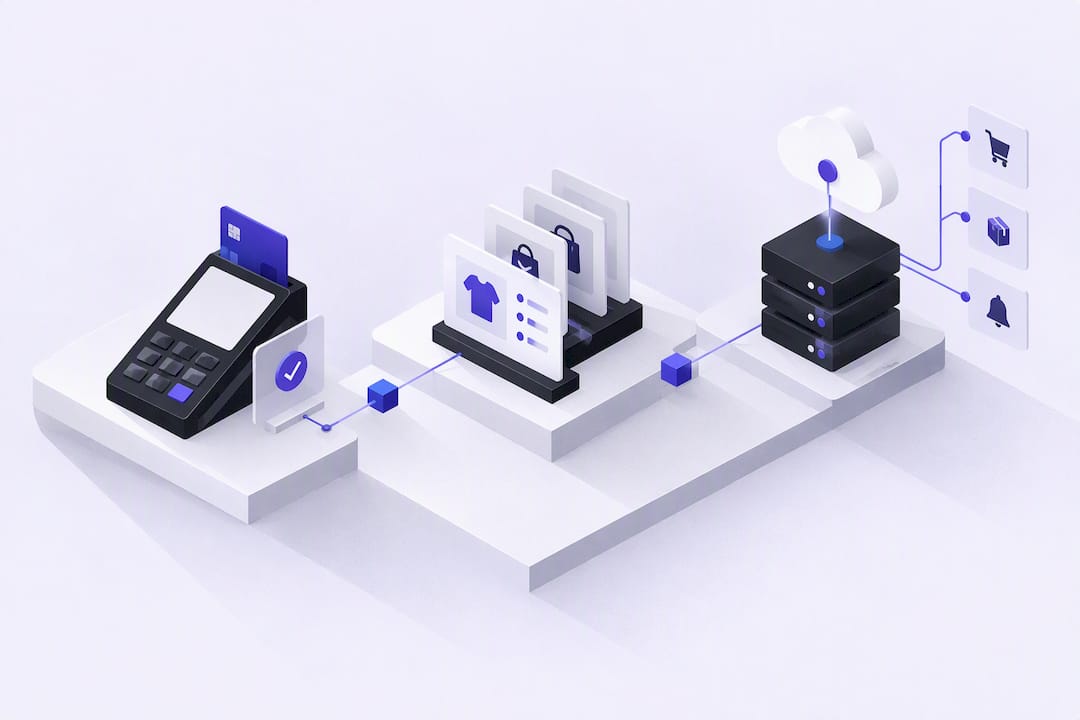
The terminal itself is only the interface. It hands the data to a payment gateway, which transmits the transaction to the card networks for authorization and returns an approval or decline in seconds. Three components do the real work behind that screen:
Refunds and voids run through the same interface, which is one reason merchants like the format for handling MOTO exceptions without a second system.
Virtual terminals fit businesses that take payments outside a normal retail counter. Phone and mail order (MOTO) sellers, B2B companies invoicing clients for services, small service providers booking appointments over the phone, and nonprofits processing phone-in donations are the classic cases.
Volume matters more than industry. A virtual terminal handles low-to-moderate manual entry well, but it was never built for high-throughput retail:
Staff ownership should be narrow and accountable. The fewer people with terminal access, the easier it is to track who processed what, which matters when a dispute lands on your desk weeks later.
The appeal is obvious: no card reader to buy, no hardware to ship, and you can start taking payments from any browser within a day of approval. That flexibility captures sales you’d otherwise lose. A client who can’t get to your office, a customer who calls in after seeing an invoice, a donor who wants to give by phone. All of that revenue is otherwise gone.
The tradeoff is real fraud exposure. Keyed-in, card-not-present transactions carry meaningfully higher chargeback risk than in-person chip transactions, since you can’t verify the card is physically present or that the person on the phone is its actual owner.
Pro Tip: Run every keyed transaction through AVS and CVV checks without exception. Skipping them to speed up a sale is exactly how a manageable process turns into a chargeback problem.
SAQ C-VT is the reduced-scope compliance path most virtual terminal merchants aim for, and it comes with real conditions, not a blanket exemption. The PCI SSC’s own SAQ C-VT documentation specifies that eligibility depends on the terminal being hosted entirely by a PCI DSS-validated third-party provider, with your computer never electronically receiving or storing cardholder data.
That last condition trips up more merchants than any other. Saving card numbers in a spreadsheet, a CRM note, or an email thread disqualifies you from the lighter scope even if the terminal itself is compliant, according to the PCI SSC’s detailed SAQ conditions.
The practical controls that keep you inside scope and reduce fraud simultaneously:
Operational guidance from PCIDSSGuide makes a point worth repeating: don’t assume “we use a virtual terminal” automatically qualifies you for SAQ C-VT. Confirm your exact workflow, including how receipts and refunds are handled, actually matches the eligibility checklist before you file.
Getting a virtual terminal live involves more than flipping a switch in a dashboard. The sequence below moves you from account approval to your first live transaction without skipping the steps that matter for compliance.
Pro Tip: Test a decline and a partial refund before your first real transaction, not after. Most support tickets happen because staff never saw what a failure actually looks like on screen.
Pricing on virtual terminals usually stacks several line items rather than one flat rate. Expect a percentage plus a fixed cent amount per transaction, a separate surcharge for keyed-entry (card-not-present) transactions since they carry more risk than swiped cards, a monthly access or gateway fee, and per-incident chargeback fees.
Your risk profile changes these numbers substantially. High-risk categories, subscription models, or businesses with a history of disputes typically see higher rates and may face reserve requirements. Before signing, ask directly about:
High-volume retail needs a physical POS terminal, not a keyed-entry form. Trying to process hundreds of daily transactions through a browser interface is slower and riskier than card-present hardware built for that throughput.
Recurring billing and high-volume ecommerce belong on tokenized gateway integrations or hosted payment pages instead, where the customer enters their own card and 3D Secure authentication can run automatically. If fraud is your top concern for online sales specifically, an authenticated checkout flow or direct API integration through a payment gateway built for high-risk merchants gives you stronger protection than manual keyed entry ever will.
We treat virtual terminals as an operational backup, not a primary channel, particularly for B2B invoicing and phone-order businesses that need occasional keyed entry alongside a stronger online checkout. CARDZ3N handles the underwriting and gateway integrations that make hosted terminals viable within a compliant setup.
— Joshua Benedetti
Deciding you need a virtual terminal is the easy part. Getting one approved, scoped correctly for SAQ C-VT, and connected to a merchant account that won’t flag your keyed-entry volume as suspicious is where most businesses get stuck. CARDZ3N handles merchant underwriting for high-risk and standard accounts alike, builds out the gateway integrations your terminal runs on, and backs it with ChargebackZ3N dispute prevention so keyed transactions don’t quietly erode your margins.
If you’re already fulfilling orders through print or apparel production, the reconciliation habits in Transfer Kingz’s guide to scaling DTF transfer operations pair well with the payment-tracking discipline a virtual terminal demands.
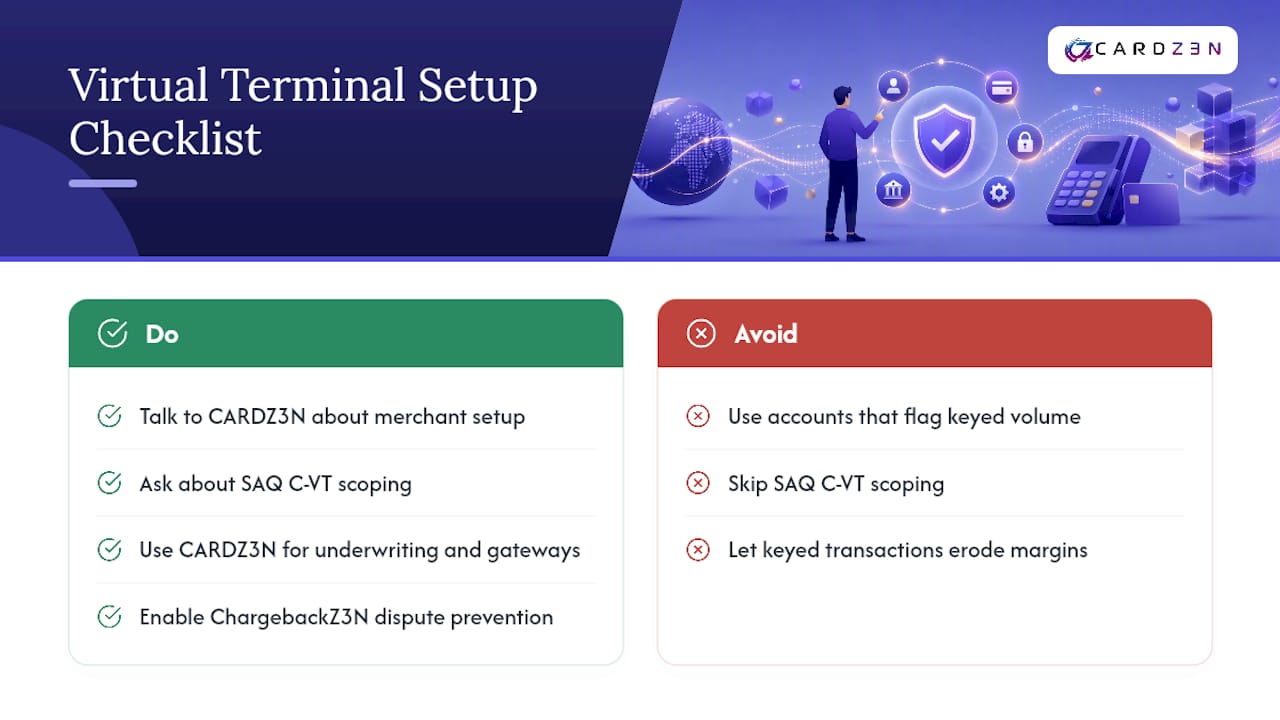
Ready to move forward? Talk to CARDZ3N about high-risk merchant account setup and ask specifically about SAQ C-VT scoping for your workflow.
It’s a browser-based tool that lets you manually key in a customer’s card details to process a payment without swiping a physical card, most often used for phone or mail orders.
You enter the card number, expiration date, CVV, and billing address into a hosted web form, which sends the data to a payment gateway for authorization and settlement, the same way Wikipedia describes the standard MOTO workflow.
A landscaping company takes a deposit over the phone by keying the customer’s card into its provider’s hosted terminal, then emails a receipt, all without any card reader hardware involved.
Most providers charge a separate keyed-entry surcharge on top of standard processing rates, since card-not-present transactions carry higher fraud risk than swiped or tapped payments.
Only if your setup actually meets SAQ C-VT conditions, including an isolated workstation and a hosted, PCI-validated provider. Simply using a virtual terminal doesn’t automatically qualify you, according to PCI SSC guidance.
Every merchant's processing setup is different, so the right answer depends on your industry, sales channels, average ticket size and chargeback history. CARDZ3N's payments specialists review those details with you and match your business with the right sponsor bank, gateway and risk tools, whether you sell online, in store, by invoice or on a recurring subscription.
We work with merchants across the USA, Canada, the UK and the EU, including high-risk, B2B and fast-growing businesses that traditional processors often turn away. If you would like a second opinion on your current rates, contract terms or approval options, contact our team for a free, no-obligation processing review.
Joshua Benedetti is the CEO of CARDZ3N, a Las Vegas-based merchant services provider specializing in high-risk payment processing and B2B payment technology.
Joshua Benedetti on LinkedInCARDZ3N Inc is headquartered in Las Vegas, Nevada, and provides merchant services to businesses that traditional processors turn away. Backed by top-tier sponsor banks and processors, CARDZ3N combines institutional stability with the speed of a specialized team that understands high-risk industries. Services include high-risk account underwriting and placement, gateway solutions across the major gateway platforms, POS integrations, ACH and check processing, chargeback prevention through ChargebackZ3N, and business lending and working capital. Its AerospacePay division serves OEMs, MROs, FBOs, and repair stations with B2B and B2G payment processing. CARDZ3N serves merchants in the USA, Canada, the UK, and the EU.
Start protecting your revenue from chargebacks today — schedule your complimentary consultation with CARDZ3N’s dispute management specialists.